> ## Content Index
> Fetch the complete content index at: https://www.hyperank.ai/blog/llms.txt
> Use this file to discover other available public pages before exploring further.
# What Is a Canonical URL? How to Set and Check Canonical Tags
- URL: https://www.hyperank.ai/blog/canonical-url/
- Published: 2026-10-26T13:30:06.000Z
- Updated: 2026-10-26T13:30:06.000Z
- Description: Learn what a canonical URL is and discover how to set and check canonical tags effectively with our step-by-step guide for 2026.
- Author: Hyperank AI
*canonical url | Updated October 2026 | hyperank Editorial Team | 30-60 minutes | Beginner*
## What You'll Learn
**A canonical URL is the main version of a page that you want search engines to index and show when the same or very similar content is reachable at several URLs, such as with tracking parameters, filters, HTTP and HTTPS, or www and non-www. You set it by adding `` to the head of every duplicate and to the main page itself (a self-referencing canonical). Google treats it as a strong hint, not a rule, and may pick a different canonical if other signals disagree. You check it in Google Search Console's URL Inspection tool or with a canonical tag scanner.** This guide, What Is a Canonical URL? How to Set and Check Canonical Tags, walks through when you need one, how to add it, how Google chooses, and how to avoid common mistakes.
- **When to use a canonical tag:** The common duplicate-content situations that need one.
- **How to add rel=canonical:** Copy-ready HTML and HTTP header examples.
- **How Google decides:** Why it sometimes ignores your choice and what to do about it.
- **Which tool to use:** Canonical vs 301 redirect vs noindex, and how to check your setup.
**Prerequisites:** Access to your site's templates, CMS SEO settings or server configuration, and Google Search Console.
---
## Why Canonical URLs Matter in 2026
Most sites create duplicate URLs without meaning to. A single product page can be reached through category paths, sorting and filter parameters, campaign tags like `?utm_source=` or `?gclid=`, and print or mobile versions. To a search engine, each is a separate URL.
When that happens, Google picks one version to show. Its [canonicalization documentation](https://developers.google.com/search/docs/crawling-indexing/canonicalization?ref=hyperank.ai) explains that factors such as HTTP versus HTTPS, redirects, sitemap inclusion and rel="canonical" annotations all play a role, and that "indicating a canonical preference is a hint, not a rule." If you don't state a preference clearly, Google may choose a URL you'd rather not show, and signals such as links can be split across versions.
Clear canonicals keep ranking signals consolidated, keep reports in Search Console clean, and make sure the URL people see and share is the one you intended.
---
## The Process at a Glance
| Step | Action | Time | Outcome |
| ---- | ------------------------------------------ | --------- | --------------------------------- |
| 1 | Understand what a canonical URL is | 5 min | Clear definition and purpose |
| 2 | Identify pages that need canonicals | 10-15 min | List of duplicate URL patterns |
| 3 | Add rel=canonical to duplicate pages | 10-20 min | Duplicates point to main URL |
| 4 | Add self-referencing canonicals everywhere | 5-10 min | Every page declares itself |
| 5 | Align other signals with your choice | 10 min | Google agrees with your canonical |
| 6 | Choose canonical, redirect or noindex | 5 min | Right tool for each case |
| 7 | Fix common canonical mistakes | 10-20 min | No conflicting or broken tags |
| 8 | Check canonical tags and Google's choice | 10 min | Verified, working canonicals |
**Total time:** 30 to 60 minutes for a small site; template-level fixes on large sites take longer to roll out and verify.
---
## Step 1: Understand What a Canonical URL Is
### What You're Doing
Before changing any code, you're getting clear on what a canonical URL means, so every later decision makes sense.
### How to Do It
1. Think of the canonical URL as "the one true address" for a piece of content.
2. Know the two meanings: the **declared canonical** is the URL you specify; the **Google-selected canonical** is the one Google actually indexes. Ideally they match.
3. Know the tag: `rel="canonical"` is a link element in the page head, or an HTTP header, pointing to the preferred URL.
4. Know what it isn't: a canonical doesn't redirect visitors and doesn't remove a page from search on its own.
### Example
| URL people might reach | Canonical URL |
| ------------------------------------------------------------ | ------------------------------------- |
| https://example.com/shoes/runner | https://www.example.com/shoes/runner/ |
| https://www.example.com/shoes/runner/?utm\_source=newsletter | https://www.example.com/shoes/runner/ |
| https://www.example.com/sale/runner | https://www.example.com/shoes/runner/ |
| http://www.example.com/shoes/runner/ | https://www.example.com/shoes/runner/ |
### What Done Looks Like
You can explain, in one sentence, which URL should represent each important piece of content on your site.
---
## Step 2: Know When You Need a Canonical Tag
### What You're Doing
Once the idea is clear, the obvious next question is where your own site needs it. Not every page needs special handling, so you're finding the URL patterns that create duplicates.
### How to Do It
- **Tracking and session parameters:** utm, gclid, fbclid and session IDs added to links.
- **Filters and sorting:** ?color=red, ?sort=price on ecommerce category pages.
- **Products in several categories:** /men/shoes/runner and /sale/runner showing the same product.
- **Protocol and host variants:** HTTP vs HTTPS, www vs non-www, trailing slash vs none.
- **Syndicated or republished content:** The same article on your site and a partner's.
- **Print and AMP versions:** Alternate formats of the same content.
- **Near-identical pages:** Product variants with almost the same description.
### Common Mistakes
- **Canonicalizing different content:** Pages that genuinely differ, such as separate products, shouldn't be canonicalized to each other. Google may ignore the tag, and if it doesn't, one page can drop out of search.
### What Done Looks Like
You have a list of the duplicate URL patterns your site produces and the main URL for each.
---
## Step 3: Add rel=canonical (With Examples)
### What You're Doing
Now you're telling search engines which URL is the main one, by adding the tag to every duplicate.
### How to Do It
1. In WordPress, set the canonical in your SEO plugin's advanced settings if the default isn't right; most SEO plugins add self-referencing canonicals automatically.
2. On Shopify, themes typically output a canonical tag in theme.liquid; check that product URLs inside collections point to the main /products/ URL.
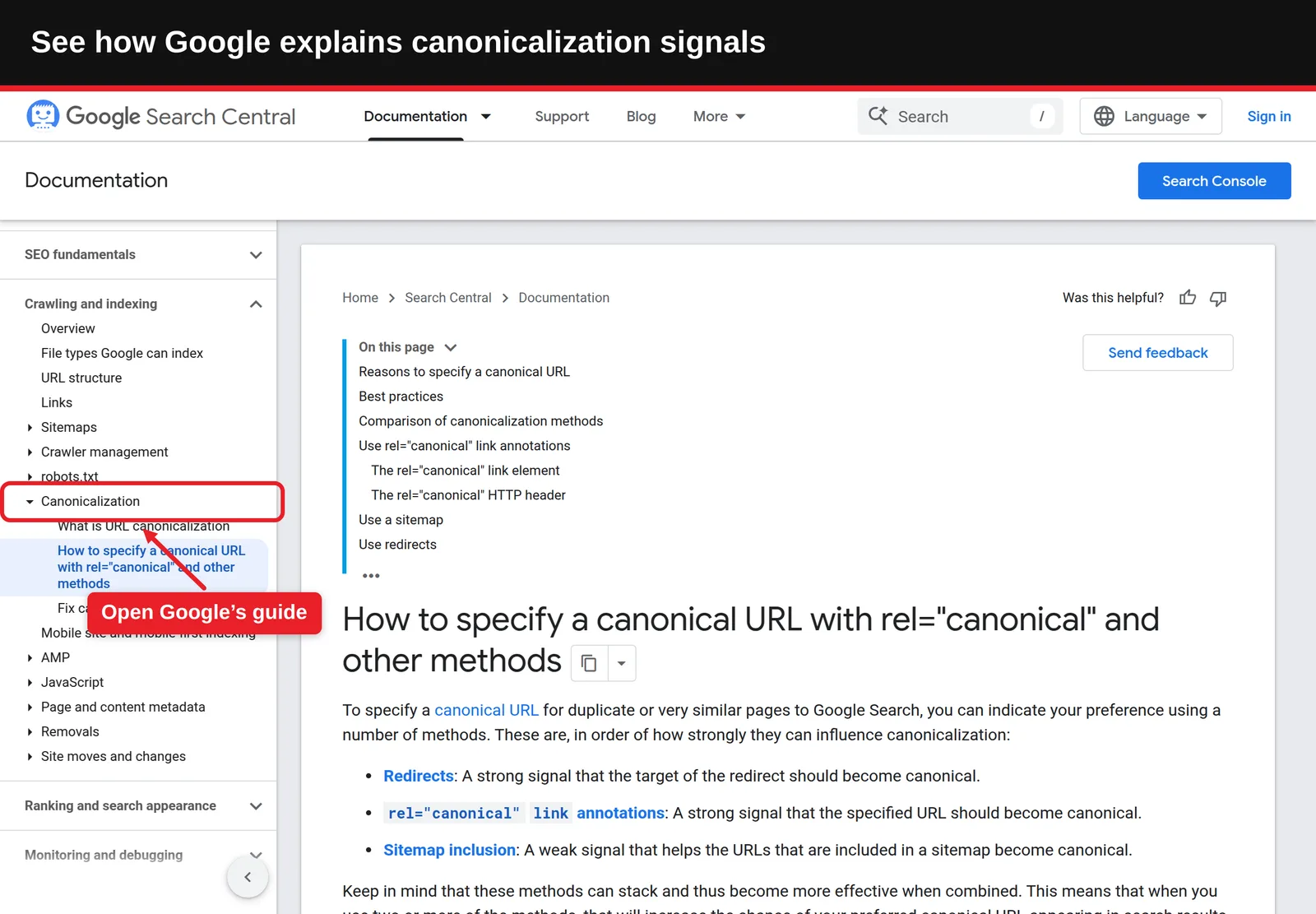
3. Pick one method per page. Google's [guide to specifying canonical URLs](https://developers.google.com/search/docs/crawling-indexing/consolidate-duplicate-urls?ref=hyperank.ai) says using both the HTML element and the HTTP header at the same time is supported but more error-prone.
For non-HTML files such as PDFs, send an HTTP header instead:
```
Link: ; rel="canonical"
```
In the `` of each duplicate page, add a link element pointing to the canonical URL, using an absolute URL:
```
```
### Best Practices
- **Use absolute URLs:** Include the protocol and domain, not just a path.
- **Put it in the head, in the HTML source:** Google recommends specifying the canonical in the HTML source and making sure JavaScript doesn't change it.
### What Done Looks Like
Every duplicate URL serves a single, absolute canonical pointing to the main version.
---
## Step 4: Use Self-Referencing Canonicals
### What You're Doing
Pointing duplicates at the main page is half the job. Duplicates aren't the only pages that need a tag, so you're adding a canonical on each main page that points to itself.
### How to Do It
1. On every indexable page, add a canonical tag whose href is that page's own clean URL.
2. Make sure the self-referencing canonical strips parameters: the tag on /shoes/runner/?utm\_source=x should still say /shoes/runner/.
3. Set it at template level so new pages get it automatically.
Google's documentation advises: "Do include a rel="canonical" link on the canonical page itself (also known as a self-referential canonical)." This protects you when someone links to your page with extra parameters, or when scrapers copy your content.
### Example
| Page | Canonical tag on that page |
| -------------------------------- | ------------------------------------------- |
| /blog/canonical-url/ | https://www.example.com/blog/canonical-url/ |
| /blog/canonical-url/?ref=twitter | https://www.example.com/blog/canonical-url/ |
| /pricing/ | https://www.example.com/pricing/ |
### What Done Looks Like
Every indexable page on your site declares its own clean URL as canonical.
---
## Step 5: Understand How Google Picks the Canonical (and When It Ignores Yours)
### What You're Doing
Your tag is a strong suggestion, not a command. You're lining up the other signals so Google agrees with you.
### How to Do It
Google's documentation lists the methods in order of how strongly they influence canonicalization:
| Signal | Strength (per Google) | What to do |
| --------------------------- | --------------------- | ------------------------------------------------------- |
| Redirects | Strong signal | 301 old or variant URLs to the canonical where possible |
| rel="canonical" annotations | Strong signal | Point duplicates and the page itself to the canonical |
| Sitemap inclusion | Weak signal | List only canonical URLs in your sitemap |
1. **Prefer HTTPS:** Google's documentation names HTTP versus HTTPS among the factors it considers, so canonicalize to HTTPS.
2. **Link internally to the canonical:** Menus and in-content links should use the canonical URL, not variants.
3. **Keep content truly duplicate:** If the "duplicate" is substantially different, Google may treat it as its own page.
4. **Avoid mixed messages:** Google warns against specifying one URL in a sitemap and a different one in rel="canonical" for the same page.
### What Done Looks Like
Redirects, canonical tags, internal links and your sitemap all point to the same URL.
---
## Step 6: Choose Between a Canonical, a 301 Redirect and noindex
### What You're Doing
Once signals line up, it's worth asking whether a canonical was the right tool in the first place. It's one of three options for duplicates, and you're picking the right one for each situation.
### How to Do It
| Tool | What it does | Visitors see | Use when |
| --------------- | ------------------------------------------------ | ----------------------- | ----------------------------------------------------------------------------------- |
| rel="canonical" | Suggests the preferred URL; both stay accessible | The page they requested | Duplicates must stay reachable (filters, tracking, syndication) |
| 301 redirect | Permanently sends users and bots to another URL | The new URL | An old URL is replaced, or HTTP to HTTPS, non-www to www |
| noindex | Keeps a page out of search results entirely | The page itself | Pages that shouldn't be in search at all (internal search results, thank-you pages) |
- **Don't use noindex for canonicalization:** Google says it doesn't recommend noindex to prevent selection of a canonical page within a site, because it completely blocks the page from Search.
- **Don't use robots.txt for it either:** Google says not to use robots.txt for canonicalization; blocked URLs can still be indexed without their content.
Use our [noindex checker](https://www.hyperank.ai/tools/technical-seo/noindex-checker?ref=hyperank.ai) to make sure pages you want indexed don't carry a stray noindex tag.
### What Done Looks Like
Each duplicate pattern on your list has one chosen method: canonical, redirect or noindex.
---
## Step 7: Avoid Common Canonical Mistakes
### What You're Doing
Small canonical errors can quietly remove pages from search. You're checking for the ones that cause the most damage.
### How to Do It
- **Every page canonicalized to the homepage:** A template bug that tells Google most of your site is a duplicate of the homepage. It's usually one line of code, and it can take weeks to notice.
- **Canonical pointing to a 404, redirect or noindexed URL:** The target must be a live, indexable 200 page.
- **Relative or malformed URLs:** "/page" or "https//example.com" can be misread.
- **Multiple canonical tags:** A theme and a plugin each adding one, with different URLs.
- **Paginated pages all pointing to page one:** Page 2 and beyond usually have different content and should canonicalize to themselves.
- **Canonical in the body or changed by JavaScript:** Keep it in the HTML head of the source code.
- **Cross-language canonicals:** With hreflang, Google says to specify a canonical in the same language, not point every language version to English.
### What Done Looks Like
Each page has exactly one canonical, in the head, pointing to a live, indexable URL in the same language.
---
## Step 8: Check Canonical Tags
### What You're Doing
The final step is proof. You're confirming both what your pages declare and what Google has actually chosen.
### How to Do It
1. **Check the declared canonical:** View the page source and search for "canonical", or run the URL through our free [canonical tag scanner](https://www.hyperank.ai/tools/technical-seo/canonical-tag-scanner?ref=hyperank.ai).
2. **Check Google's choice:** In [Google Search Console](https://search.google.com/search-console?ref=hyperank.ai), use URL Inspection and compare "User-declared canonical" with "Google-selected canonical".
3. **Review the Page indexing report:** Look for "Duplicate, Google chose different canonical than user" and "Duplicate without user-selected canonical".
4. **Crawl the site:** For larger sites, use a crawler to list every page's canonical and flag mismatches.
5. **Re-check after fixes:** Request indexing for key URLs and recheck in a few days.
Our guides on [Google indexing](https://www.hyperank.ai/blog/google-indexing/) and checking whether a page is indexed cover the Search Console reports in more detail.
### What Done Looks Like
For your key pages, the user-declared and Google-selected canonicals match.
---
## What to Do After Setting Canonicals
- **Phase 1, first two weeks, verify:** Inspect your top 20 URLs in Search Console and fix any where Google chose a different canonical.
- **Phase 2, first two months, monitor:** Watch the Page indexing report for duplicate-related statuses trending down.
- **Phase 3, ongoing, protect:** Re-check canonicals after theme updates, plugin changes, migrations and new URL parameters.
Getting the basics right also helps beyond Google. AI search engines retrieve pages from the web, and a single clear URL for each page makes it more likely the right one gets cited. To see what AI engines actually say about your brand, hyperank asks six major AI engines your buyers' questions every day and shows what they say, what they get wrong and which competitors they mention.
---
## Resources You'll Need
| Resource | Role | Label | Price |
| ---------------------------------------------------------------------------------------- | ----------------------------------------------- | ----------- | --------------------------------- |
| Google Search Console | URL Inspection and Page indexing reports | Required | Free |
| hyperank canonical tag scanner | Shows the canonical a page declares | Recommended | Free |
| Google's canonical URL documentation | Official methods and best practices | Required | Free |
| [Screaming Frog SEO Spider](https://www.screamingfrog.co.uk/seo-spider/?ref=hyperank.ai) | Site-wide canonical audit | Optional | Free up to 500 URLs; paid licence |
| hyperank | Tracks what six AI engines say about your brand | Optional | Paid plans |
---
## Troubleshooting Common Issues
### "Duplicate, Google chose different canonical than user"
**Likely cause:** Other signals (internal links, redirects, sitemap, HTTPS) point to a different URL, or the pages aren't true duplicates. **Fix:** Align internal links and the sitemap with your canonical, add redirects where possible, and make sure the content really is duplicate.
### "Duplicate without user-selected canonical"
**Likely cause:** The page has no canonical tag and Google found a near-identical version. **Fix:** Add a canonical pointing to the version you want indexed.
### Important pages disappeared after a theme update
**Likely cause:** The new template sets every canonical to the homepage or to a staging domain. **Fix:** Inspect a few URLs, correct the template, and request indexing.
### The canonical tag looks right but Google ignores it
**Likely cause:** JavaScript changes it after load, or there are two conflicting tags. **Fix:** Check the rendered HTML in URL Inspection and remove duplicates.
---
## Conclusion
A canonical url tells search engines which version of a page is the main one. Add rel=canonical to duplicates and to every main page, line up redirects, internal links and sitemaps behind it, and check in Search Console that Google agrees.
### Key Takeaways
- **Outcome:** Every important page has one clear, verified canonical URL.
- **Key insight:** Google treats canonicals as a hint, so consistent signals matter as much as the tag.
- **Next action:** Inspect your top 10 URLs in Search Console and compare declared and Google-selected canonicals.
---
## FAQ
### What is a canonical URL, and how do you set and check canonical tags?
What Is a Canonical URL? How to Set and Check Canonical Tags: a canonical URL is the main version of a page you want search engines to index when the same content exists at several URLs. Set it by adding `` with an absolute URL to the head of each duplicate and to the main page itself, or send a rel="canonical" HTTP header for files like PDFs. Check it by viewing the page source or using a canonical tag scanner, then confirm in Google Search Console's URL Inspection that the Google-selected canonical matches the one you declared.
### What is a canonicalized URL?
A canonicalized URL is a duplicate or variant URL that points to another URL as its canonical, so search engines consolidate it with the main version.
### Is a canonical tag a directive?
No. Google says a canonical preference is a hint, not a rule. It's a strong signal, but Google can choose a different canonical if other signals conflict.
### Should every page have a self-referencing canonical?
Yes, for indexable pages. Google recommends including rel="canonical" on the canonical page itself.
### Canonical tag or 301 redirect: which is better?
Use a 301 when the old URL no longer needs to exist. Use a canonical when duplicates must stay accessible, such as filtered or tracked URLs.
### Can a canonical point to another domain?
Yes. Cross-domain canonicals are common for syndicated content, pointing republished copies to the original article.
### How long does it take Google to respect a new canonical?
It depends on how often Google recrawls the pages. Important pages can update within days; others take weeks. Requesting indexing in Search Console can speed up key URLs.
---
*Methodology: This guide is based on Google Search Central's documentation on canonicalization and on specifying canonical URLs with rel="canonical" and other methods, including Google's ranking of signal strength and best practices. CMS behaviour for WordPress and Shopify varies by theme and plugin; check your own setup.*