
How to Create and Submit an XML Sitemap (Step by Step)
Learn how to create an XML sitemap with our step-by-step guide, ensuring your website is easily indexed by search engines for better visibility.
create xml sitemap | Updated October 2026 | hyperank Editorial Team | 15-45 minutes | Beginner
What You'll Learn
The fastest way to create an XML sitemap is to let your platform do it: WordPress, Shopify, Wix and Squarespace generate one automatically, and frameworks like Next.js build one from a sitemap file in the app directory. If your site doesn't, use a free XML sitemap generator or write a short file by hand listing each page's full URL in a <loc> tag. Put the file at your site root (for example https://www.example.com/sitemap.xml), add a Sitemap: line to robots.txt, submit it in Google Search Console under Sitemaps and in Bing Webmaster Tools, then check that its status shows success. This guide, How to Create and Submit an XML Sitemap (Step by Step), covers all three ways to create xml sitemap files, where to put them and how to confirm they work.
- Three creation methods: By hand, with a free generator, or automatically from your CMS.
- The rules that matter: Format, size limits and the tags Google actually reads.
- Submission: Google Search Console, Bing Webmaster Tools and robots.txt.
- Verification: How to check your sitemap is valid and being read.
Prerequisites: Access to your site's files or CMS, and a verified property in Google Search Console.
Why an XML Sitemap Matters in 2026
An XML sitemap is a list of the pages you want search engines to find. It doesn't guarantee indexing, but it helps crawlers discover new and updated pages, especially on large sites, new sites with few links, and sites with pages buried deep in the navigation.
Google is specific about how it reads them. Its guide to building a sitemap says a single sitemap is limited to 50MB uncompressed or 50,000 URLs, must be UTF-8 encoded and should use fully qualified, absolute URLs. It also states that "Google ignores <priority> and <changefreq> values" and uses <lastmod> only if it's consistently and verifiably accurate.
One older habit no longer works: Google retired its sitemap ping endpoint in 2023, so submission through Search Console and a robots.txt reference are the ways to tell Google where your sitemap is.
The Process at a Glance
| Step | Action | Time | Outcome |
|---|---|---|---|
| 1 | Pick the fastest creation method | 2 min | Right method for your site |
| 2 | Learn what goes in sitemap.xml | 5 min | Know the valid format |
| 3 | Write a sitemap by hand | 10-20 min | Small site sitemap ready |
| 4 | Use a free XML sitemap generator | 5 min | Sitemap built automatically |
| 5 | Let your CMS build it | 5 min | Self-updating sitemap enabled |
| 6 | Place sitemap.xml at the root | 5-10 min | File live at right URL |
| 7 | Submit it to Google Search Console | 3 min | Google knows your sitemap |
| 8 | Submit to Bing and robots.txt | 5 min | All crawlers can find it |
| 9 | Check that it works | 5-10 min | Valid, read and error-free |
Total time: 15 to 45 minutes. You'll only need one of Steps 3 to 5.
Step 1: Use the Fastest Way to Create an XML Sitemap
What You're Doing
Before building anything, check whether you already have a sitemap, since most platforms create one for you.
How to Do It
- Visit yourdomain.com/sitemap.xml, yourdomain.com/sitemap_index.xml and yourdomain.com/wp-sitemap.xml in a browser.
- Or run your domain through our sitemap finder, which checks robots.txt, common paths and homepage links.
- If you find one, skip to Step 6 to confirm its location, then Step 7 to submit it.
- If you don't, choose a method from the table below.
| Your site | Best method | Step |
|---|---|---|
| WordPress, Shopify, Wix, Squarespace | Built-in or plugin sitemap | Step 5 |
| Next.js or another framework | Framework sitemap file | Step 6 |
| Static or custom site, under ~200 pages | Free generator | Step 4 |
| Very small site, a handful of pages | Write it by hand | Step 3 |
What Done Looks Like
You know whether a sitemap exists and which method you'll use if it doesn't.
Step 2: Know What Goes Into a sitemap.xml
What You're Doing
If you need to build one, it helps to know what a good file looks like first. Whichever method you pick, the output follows the same simple format, and knowing it lets you spot problems.
How to Do It
Here's a minimal valid sitemap, based on the example in Google's documentation:
<?xml version="1.0" encoding="UTF-8"?>
<urlset xmlns="http://www.sitemaps.org/schemas/sitemap/0.9">
  <url>
    <loc>https://www.example.com/</loc>
    <lastmod>2026-10-20</lastmod>
  </url>
  <url>
    <loc>https://www.example.com/pricing/</loc>
    <lastmod>2026-09-14</lastmod>
  </url>
</urlset>| Tag | Required? | What Google does with it |
|---|---|---|
| <urlset> | Yes | Wraps the list and declares the sitemap namespace |
| <url> and <loc> | Yes | One entry per page, with its full absolute URL |
| <lastmod> | Optional | Used if consistently accurate; should reflect the last significant update |
| <changefreq> | Optional | Ignored by Google |
| <priority> | Optional | Ignored by Google |
- Include: Canonical, indexable pages that return a 200 status.
- Exclude: Redirects, 404s, noindexed pages, duplicates and parameter URLs.
- Large sites: Split into several sitemaps under 50,000 URLs each and list them in a sitemap index file.
The full specification is at sitemaps.org.
What Done Looks Like
You can read a sitemap and tell whether each entry belongs there.
Step 3: Option 1, Write It by Hand
What You're Doing
With the format in mind, the simplest option is to type it out yourself. For a site with a handful of pages, a hand-written file is quick and gives you full control.
How to Do It
- Open a plain text editor such as VS Code, Notepad or TextEdit in plain-text mode.
- Paste the template from Step 2.
- Add one <url> block per page, with the full URL including https:// and your exact domain.
- Add an accurate <lastmod> date in YYYY-MM-DD format, or leave it out.
- Save the file as sitemap.xml with UTF-8 encoding.
Common Mistakes
- Relative URLs: /pricing/ isn't valid; use https://www.example.com/pricing/.
- Unescaped characters: An ampersand in a URL must be written as &.
- Forgetting to update it: Hand-written sitemaps go stale; switch to a generator or CMS as the site grows. Six months later, nobody remembers the file exists.
What Done Looks Like
You have a valid sitemap.xml file listing every page you want indexed.
Step 4: Option 2, Use a Free XML Sitemap Generator
What You're Doing
If writing XML by hand sounds tedious, let a tool crawl your site and build the file for you.
How to Do It
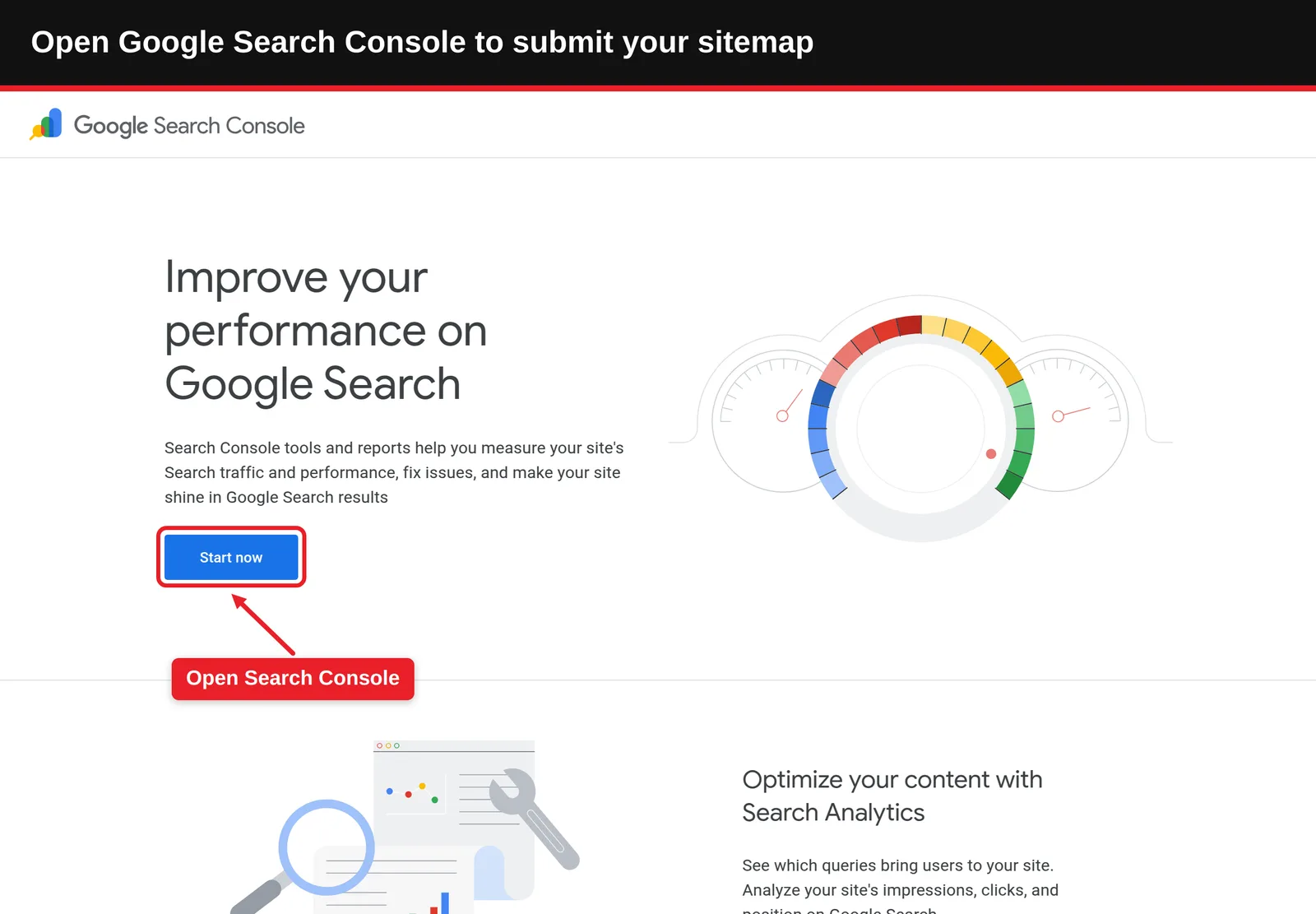
- Open our free XML sitemap generator.
- Enter your homepage URL. The tool crawls your site by following links, up to 200 pages.
- Review the list of pages it found and remove anything that shouldn't be indexed.
- Copy or download the sitemap.xml file.
- Upload it to your site root (Step 6).
Best Practices
- Fix orphan pages: A crawler only finds pages linked from somewhere. If an important page is missing, link to it internally or add it manually.
- Regenerate after changes: Rebuild the file whenever you add or remove pages.
What Done Looks Like
You've downloaded a sitemap.xml that lists your real, live pages.
Step 5: Option 3, Let Your CMS Build It
What You're Doing
Generators work well, but you still have to remember to rerun them. This is the low-maintenance option: you're turning on a sitemap that updates itself as you publish.
How to Do It
| Platform | Where the sitemap is | What to do |
|---|---|---|
| WordPress (core) | /wp-sitemap.xml, built in since version 5.5 | Nothing; confirm it loads |
| WordPress with an SEO plugin | Often /sitemap_index.xml | Enable XML sitemaps in the plugin settings |
| Shopify | /sitemap.xml, generated automatically | Nothing; submit it |
| Wix and Squarespace | /sitemap.xml, generated automatically | Check pages you've hidden from search are excluded |
| Ghost | /sitemap.xml, generated automatically | Nothing; submit it |
- Visit the URL for your platform to confirm the sitemap loads.
- In WordPress, make sure Settings > Reading doesn't have "Discourage search engines from indexing this site" ticked, which affects the built-in sitemap and indexing.
- Exclude page types you don't want indexed, such as tag archives, in your SEO plugin.
If you're on WordPress, our guide to the WordPress robots.txt file covers the related settings.
What Done Looks Like
Your CMS serves a sitemap that updates automatically when you publish or delete pages.
Step 6: Put sitemap.xml in the Right Place (Including Next.js)
What You're Doing
A sitemap only helps if crawlers can fetch it, so you're making sure it's live at the right URL.
How to Do It
- Use the site root: Google says you can host sitemaps anywhere, but unless you submit through Search Console, a sitemap only affects descendants of its parent directory, so the root is where it recommends posting them.
- Static sites: Upload sitemap.xml to the public web root so it loads at https://www.example.com/sitemap.xml.
- Next.js (Pages Router): Put a static sitemap.xml in the public folder.
- Confirm the file returns a 200 status and the XML displays, not your 404 page.
Next.js (App Router): Per the Next.js sitemap documentation, either place a static sitemap.xml in the root of the app directory, or create app/sitemap.ts that exports a default function returning an array of URLs:
import type { MetadataRoute } from 'next'

export default function sitemap(): MetadataRoute.Sitemap {
  return [
    { url: 'https://www.example.com', lastModified: new Date() },
    { url: 'https://www.example.com/pricing', lastModified: new Date() },
  ]
}
Next.js serves it at /sitemap.xml. For large sites, it supports multiple sitemaps with generateSitemaps.
What Done Looks Like
https://www.yourdomain.com/sitemap.xml (or your CMS's path) loads the XML in a browser.
Step 7: Submit Your XML Sitemap to Google
What You're Doing
With the file live, you're telling Google exactly where it is, and getting a report on how it's processed.
How to Do It
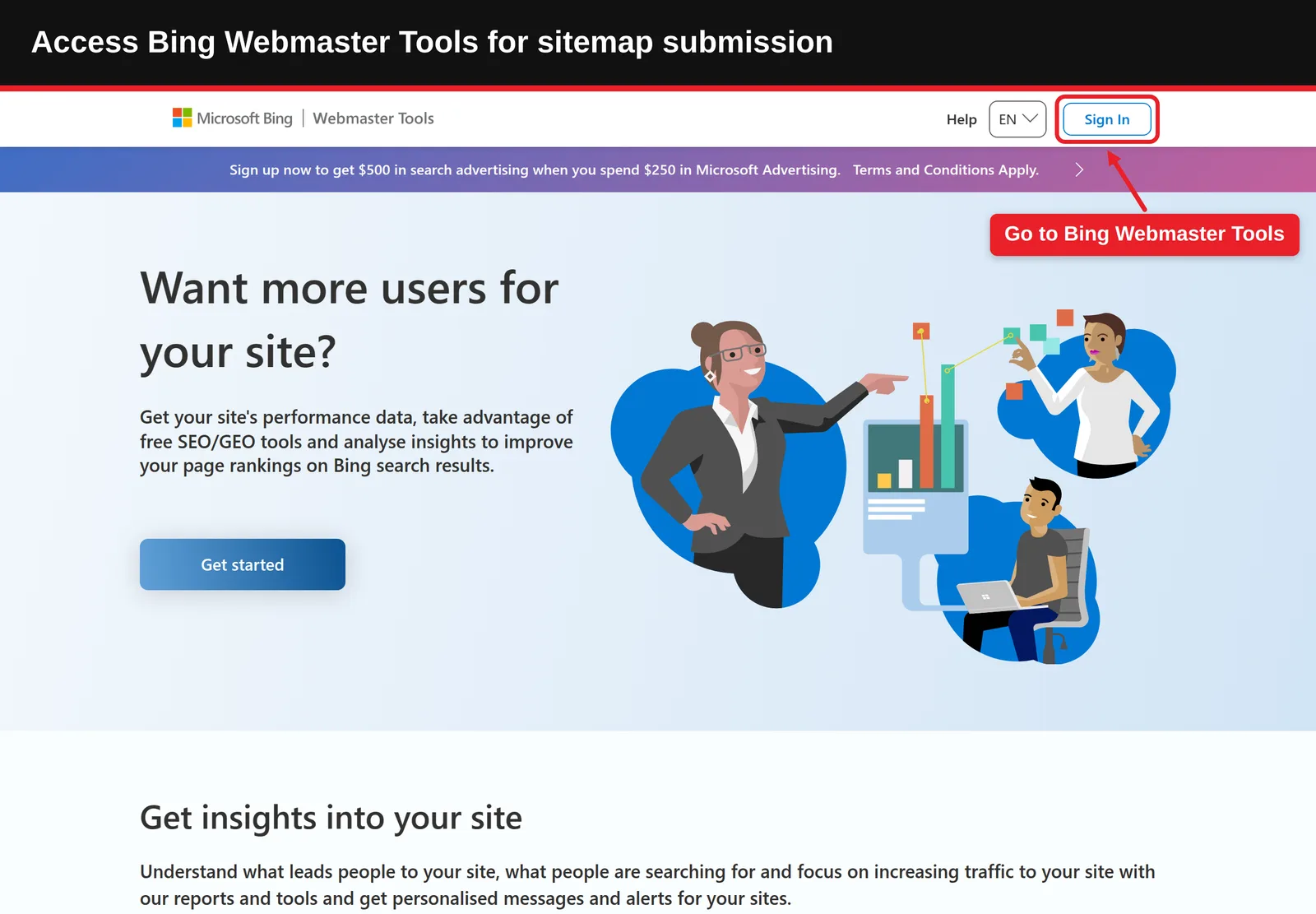
- Open Google Search Console and select your property.
- Go to Indexing > Sitemaps.
- Under "Add a new sitemap", enter the sitemap path (for example sitemap.xml) and click Submit.
- Check the status column. "Success" means Google read it; "Couldn't fetch" or "Has errors" needs attention (Step 9).
- Submit only the index file if you use a sitemap index; Google reads the sitemaps it lists.
Google's Sitemaps report help page explains each status. Submitting doesn't guarantee indexing; our guide on how to get Google to index your site covers what else helps.
What Done Looks Like
Your sitemap appears in the Sitemaps report with a "Success" status and a count of discovered URLs.
Step 8: Submit It Elsewhere: Bing and robots.txt
What You're Doing
Once Google has it, spend five more minutes on everyone else. Google isn't the only crawler that matters, so you're making your sitemap discoverable to Bing and every other bot.
How to Do It
- Add it to robots.txt: Insert a line anywhere in the file:
Sitemap: https://www.example.com/sitemap.xml. Google says you can list multiple sitemap lines. Our sitemap to robots.txt generator builds the lines for you. - Submit to Bing: In Bing Webmaster Tools, add your site (you can import it from Google Search Console), open Sitemaps, click Submit sitemap and enter the URL. Bing's index also supports other search engines that use its results.
- Consider IndexNow: IndexNow lets you notify participating search engines, including Bing, when URLs change. Many CMS plugins support it.
Being discoverable helps beyond classic search, too: AI search engines retrieve pages from the web, and they can only cite what they can find. To see whether they actually mention your brand, hyperank asks six major AI engines your buyers' questions every day and shows what they say, what they get wrong and who they recommend instead.
What Done Looks Like
robots.txt references your sitemap and Bing Webmaster Tools shows it as submitted.
Step 9: Check That Your Sitemap Works
What You're Doing
The last step is proof: you're confirming the sitemap is valid, accurate and being read.
How to Do It
- Run it through our XML sitemap validator, which checks the format, off-domain entries and missing tags, and scores every issue.
- Browse the entries with our XML sitemap viewer to spot pages that shouldn't be there.
- Spot-check a few URLs: each should return 200, be indexable and carry a self-referencing canonical.
- Recheck the Search Console Sitemaps report a few days later for status and discovered URL count.
- Compare against the Page indexing report to see how many listed URLs Google has indexed.
What Done Looks Like
The validator shows no errors, Search Console shows "Success", and listed URLs are being indexed.
What to Do After Submitting
- Phase 1, first week, confirm: Check the Sitemaps report status and fix any fetch or format errors.
- Phase 2, first month, review coverage: Compare submitted versus indexed URLs and improve pages Google isn't indexing.
- Phase 3, ongoing, maintain: Keep the sitemap automatic where possible, revalidate after migrations or redesigns, and keep lastmod accurate.
Resources You'll Need
| Resource | Role | Label | Price |
|---|---|---|---|
| Google Search Console | Submit and monitor your sitemap in Google | Required | Free |
| hyperank XML sitemap generator | Builds a sitemap by crawling up to 200 pages | Recommended | Free |
| hyperank XML sitemap validator | Checks format and entries | Recommended | Free |
| Bing Webmaster Tools | Submit your sitemap to Bing | Recommended | Free |
| Sitemaps.org protocol | Official format reference | Optional | Free |
Troubleshooting Common Issues
Search Console says "Couldn't fetch"
Likely cause: The URL is wrong, blocked by robots.txt or a firewall, or returns an error. Fix: Open the exact URL in a browser, check robots.txt, and resubmit.
"Sitemap has errors" or "Invalid format"
Likely cause: Malformed XML, relative URLs or unescaped characters. Fix: Run the validator, correct the reported lines, and resubmit.
URLs are submitted but not indexed
Likely cause: A sitemap aids discovery, not indexing; pages may be low quality, duplicates or noindexed. Fix: Check those URLs in URL Inspection and improve or remove them from the sitemap.
The sitemap lists pages that no longer exist
Likely cause: A hand-made or one-off generated file. Fix: Switch to an automatic CMS or framework sitemap, or regenerate after every change.
Conclusion
To create xml sitemap files that work, use your platform's automatic sitemap where you can, a generator or hand-written file where you can't, keep only canonical, indexable URLs, and host it at your root. Then submit it to Google and Bing, reference it in robots.txt, and validate it.
Key Takeaways
- Outcome: A valid, submitted sitemap that helps search engines discover your pages.
- Key insight: Google ignores priority and changefreq; accurate URLs and lastmod are what count.
- Next action: Open yourdomain.com/sitemap.xml now and check Search Console's Sitemaps report.
FAQ
How do you create and submit an XML sitemap, step by step?
How to Create and Submit an XML Sitemap (Step by Step): first check whether your CMS already makes one (WordPress at /wp-sitemap.xml, Shopify and Wix at /sitemap.xml). If not, use a free XML sitemap generator or write a file listing each page's full URL in <loc> tags inside a <urlset>. Upload it to your site root, add "Sitemap: https://www.example.com/sitemap.xml" to robots.txt, submit it in Google Search Console under Indexing > Sitemaps and in Bing Webmaster Tools, then validate it and check for a "Success" status.
Where should sitemap.xml be placed?
At the root of your site, such as https://www.example.com/sitemap.xml. Google recommends the root because a sitemap otherwise only covers its own directory unless submitted through Search Console.
Where do I put sitemap.xml in Next.js?
With the App Router, place sitemap.xml in the root of the app directory or create app/sitemap.ts that returns your URLs; Next.js serves it at /sitemap.xml. With the Pages Router, put it in the public folder.
How do I submit an XML sitemap to Google?
In Google Search Console, go to Indexing > Sitemaps, enter the sitemap URL under "Add a new sitemap" and click Submit.
What is XML sitemap submission?
It's telling search engines where your sitemap is, through Search Console, Bing Webmaster Tools or a Sitemap: line in robots.txt, so they can discover your pages.
Do I need an XML sitemap for a small site?
It isn't required if your pages are well linked, but it's quick to add and helps search engines find new pages sooner.
How many URLs can a sitemap have?
Up to 50,000 URLs or 50MB uncompressed. For more, split into several sitemaps and list them in a sitemap index.
Methodology: This guide follows Google Search Central's documentation on building and submitting sitemaps, its 2023 announcement retiring the sitemap ping endpoint, the Next.js sitemap file convention documentation, and the sitemaps.org protocol. CMS paths reflect default behaviour and may change with themes, plugins or settings.
See where your brand stands
How six AI engines describe you, next to your competitors. About two minutes.