
How to Rank in Google AI Overviews: A Practical SEO Guide
Discover effective strategies in our practical guide on how to rank in AI overviews and boost your visibility on Google in 2026.
how to rank in ai overviews | Updated October 2026 | hyperank Editorial Team | 2-4 hours per page, then ongoing | Beginner
What You'll Learn
To appear in Google AI Overviews, a page must be indexed and eligible to show in Google Search with a snippet; Google says there are no extra technical requirements and no special schema needed. Beyond that, the practical steps are the same SEO fundamentals done well: answer the question directly near the top of the page, then go deeper; cover the follow-up questions people ask, since Google says AI Overviews may use a "query fan-out" technique; earn mentions on the sites AI Overviews cite; and track which pages get cited so you can improve them. This guide, How to Rank in Google AI Overviews: A Practical SEO Guide, separates what Google documents from what is good practice, and walks through each step.
- What Google actually says: The official requirements for AI Overviews.
- Content that gets cited: Answer-first pages that cover follow-up questions.
- Source building: Why third-party mentions matter for AI answers.
- Measurement: How to track AI Overview citations and iterate.
Prerequisites: Google Search Console access, a list of target queries, and pages you can edit.
Why Ranking in AI Overviews Matters in 2026
AI Overviews now sit at the top of many Google results. Alphabet reported in its Q2 2025 results that AI Overviews reach more than 2 billion monthly users. When an overview appears, the links inside it get prime placement, and the regular results move down the page.
That affects clicks. A Pew Research Center analysis of 68,879 searches by 900 US adults found people clicked a traditional result in 8% of visits when an AI summary appeared, versus 15% without one, and clicked a link inside the summary in 1% of visits. Google, for its part, says in its AI features documentation that clicks from results pages with AI Overviews are "higher quality," meaning users are more likely to spend more time on the site.
Either way, being one of the cited sources is better than being below the overview.
The Process at a Glance
| Step | Action | Time | Outcome |
|---|---|---|---|
| 1 | Learn what it takes to appear | 5 min | Clear, realistic goal |
| 2 | Read Google's AI features guidance | 10 min | Know documented requirements |
| 3 | Make the page indexable and eligible | 15-30 min | Page can be cited |
| 4 | Answer directly, then go deeper | 1-2 hours | Quotable, complete answer |
| 5 | Cover follow-up questions (fan-out) | 30-60 min | Matches sub-queries Google runs |
| 6 | Build the sources AI Overviews use | Ongoing | Mentions on cited sites |
| 7 | Track citations and iterate | 30 min monthly | Data to improve pages |
| 8 | Weigh whether AI Overviews hurt you | 10 min | Right strategy for your site |
Total time: Two to four hours per priority page, then a monthly review.
Step 1: Know What It Takes to Appear in AI Overviews
What You're Doing
Before changing anything, you're setting a realistic goal: you can't "rank" an AI Overview the way you rank a blue link, but you can make your page a strong candidate to be cited.
How to Do It
- Know the minimum: the page must be indexed and snippet-eligible.
- Know what helps in practice: a clear, direct answer, complete coverage of related questions, specific facts and a trustworthy site.
- Know what doesn't exist: there's no special markup, file or "AI Overview tag" that guarantees inclusion.
- Pick 10 to 20 target queries where an AI Overview already appears, so you can measure progress.
What Done Looks Like
You have a short list of target queries that already show AI Overviews, and a realistic goal of being cited for them.
Step 2: Read What Google Says About AI Overviews and Your Site
What You're Doing
There's a lot of folklore about AI Overviews, so start with the one source that actually knows. You're grounding your plan in Google's own documentation, so you don't waste time on myths.
How to Do It
Google's AI features and your website page states the essentials:
| Topic | What Google says |
|---|---|
| Extra requirements | "There are no additional requirements to appear in AI Overviews or AI Mode, nor other special optimizations necessary." |
| Eligibility | A page must be indexed and eligible to be shown in Google Search with a snippet |
| Schema and files | You don't need new machine-readable files, AI text files or special schema.org structured data |
| How answers are built | AI Overviews and AI Mode may use a "query fan-out" technique, issuing multiple related searches across subtopics |
| Measurement | Traffic from AI features is included in Search Console's Performance report, in the Web search type |
| Opting out | Use nosnippet, data-nosnippet, max-snippet or noindex to limit what's shown |
Google also lists fundamentals that remain worthwhile: allowing crawling in robots.txt and at your CDN, internal links, good page experience, important content in text, supporting images and video, structured data that matches visible text, and up-to-date Merchant Center and Business Profile information.
What Done Looks Like
Your plan contains only documented requirements and clearly labelled good practices.
Step 3: Make Sure the Page Is Indexable and Eligible
What You're Doing
With the rules clear, check the basics first. Eligibility is the only hard requirement, so you're confirming your page clears it.
How to Do It
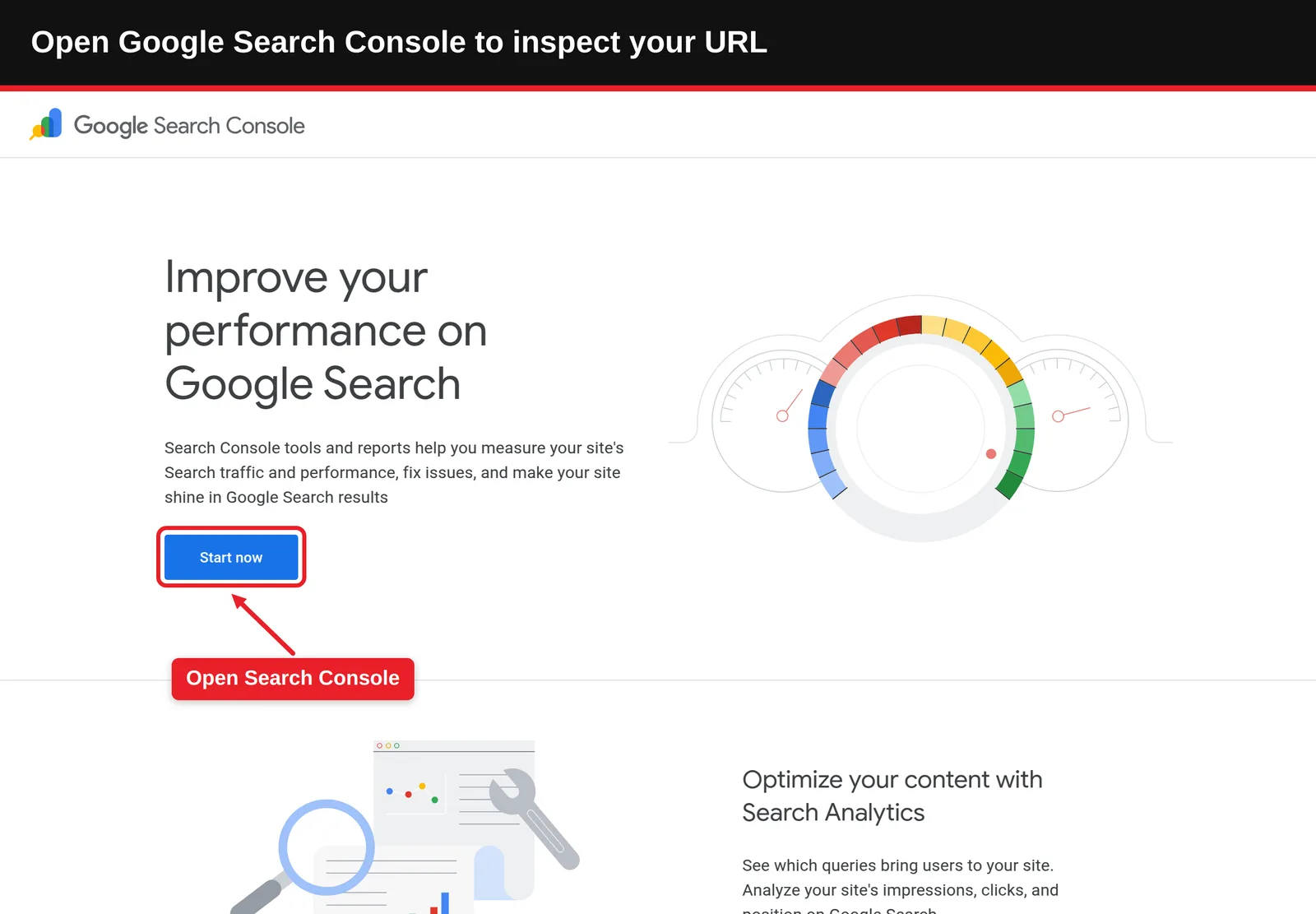
- Check the URL with Search Console's URL Inspection tool or our free Google index checker.
- Confirm there's no noindex tag and robots.txt doesn't block the page.
- Check for nosnippet, data-nosnippet around key content, or a very low max-snippet value, any of which can limit what Google shows.
- Make sure the page returns a 200 status and its main content is in HTML text, not only in images or behind scripts.
- Run the page through our AI SEO audit, which grades 16 signals from title and canonical to llms.txt and alt text.
Common Mistakes
- Accidental nosnippet: Some themes and plugins add snippet restrictions sitewide.
- Blocking at the CDN: Google specifically mentions allowing crawling "by any CDN or hosting infrastructure."
What Done Looks Like
The page is indexed, snippet-eligible and fully readable as text.
Step 4: Answer the Question Directly, Then Go Deeper
What You're Doing
AI Overviews summarise answers, so you're making yours easy to find and quote. This is good practice rather than a documented ranking factor.
How to Do It
- Lead with the answer: Answer the main query in two to four sentences at the top of the page or section.
- Use question-style headings: Match the way people phrase queries, such as "How long does it take?"
- Start each section with a self-contained answer: The first sentence should make sense out of context.
- Add specifics: Numbers, steps, prices and dates, with sources named and linked.
- Then go deeper: Examples, comparisons, caveats and expert insight that a summary can't replace.
Example
| Weak opening | Strong opening |
|---|---|
| "There are many factors to consider when choosing a CRM, and it depends on your needs." | "For most small sales teams, the best CRM is one with built-in email tracking, a simple pipeline view and a free tier. Here's how the top options compare." |
| "Sitemaps are an important part of SEO." | "An XML sitemap lists the pages you want search engines to find. Put it at your site root and submit it in Search Console." |
Our guide to writing SEO content that ranks and gets cited by AI covers this structure in more depth.
What Done Looks Like
Someone reading only the first sentence of each section would get an accurate answer.
Step 5: Cover the Follow-Up Questions (Query Fan-Out)
What You're Doing
A direct answer handles the main question; the overview usually wants more. Google says AI Overviews may run several related searches to build one answer, so you're making sure your page covers those related questions too.
How to Do It
- Search your target query and note the questions in People Also Ask and related searches. They're often the same questions customers ask your sales team.
- See likely sub-queries with our free query fan-out tool, which shows the sub-queries Google AI Mode, ChatGPT search and Perplexity might run, with the intent behind each.
- Add a short section or FAQ answer for each relevant sub-question.
- Link to deeper pages on your site for sub-topics that deserve their own article.
Example
| Main query | Likely follow-up questions |
|---|---|
| best running shoes for beginners | How much should I spend? Neutral or stability? How long do they last? Road or trail? |
| how to start a podcast | What equipment do I need? How much does it cost? Where do I host it? How do I get listeners? |
What Done Looks Like
Your page, or your linked cluster of pages, answers the main question and its common follow-ups.
Step 6: Build the Sources AI Overviews Pull From
What You're Doing
AI Overviews cite a range of sites, not just brand pages. You're increasing the chance that the sources they use mention you. This is practice, not a documented ranking factor.
How to Do It
- For each target query, record which domains the AI Overview cites.
- Look for patterns: review sites, comparison articles, forums, industry publications or government sources.
- Earn presence where it fits: get included in relevant comparisons, contribute expert quotes, keep review profiles current, and take part honestly in community discussions.
- Keep your brand facts consistent across your site and third-party profiles, so cited sources describe you accurately.
- For local and product queries, keep your Google Business Profile and Merchant Center details current, which Google lists among the fundamentals.
Best Practices
- Relevance over volume: A mention on one site the overview actually cites is worth more than many unrelated links.
- Avoid paid link schemes: Google's spam policies treat buying links for ranking as link spam.
What Done Looks Like
You have a list of cited domains for your target queries and an outreach plan for the most relevant ones.
Step 7: Track Citations and Iterate
What You're Doing
All of this is guesswork until you look at the results. You're tracking whether AI Overviews cite you and adjusting pages based on what you find.
How to Do It
- Use Search Console: AI features traffic is included in the Performance report under Web. Watch impressions and clicks for your target queries.
- Check overviews directly: Search each target query regularly and note whether you're cited.
- Automate tracking: hyperank tracks Google AI Overviews on its Growth plan and above, alongside ChatGPT, Gemini and Perplexity, and adds Claude and Grok on Scale. We built it because we believe brands need to see what AI says about them; it keeps every answer and shows what's said about your brand, what's wrong and which competitors are cited instead.
- Iterate: For queries where you're not cited, compare your page with the cited ones and improve the direct answer, coverage or specifics.
If your pages rank but rarely get cited, our guide on how to fix a low AI citation rate walks through likely causes.
What Done Looks Like
You have a monthly record of which target queries cite you, and a list of pages to improve.
Step 8: Decide Whether AI Overviews Hurt Your Website
What You're Doing
You're weighing the real trade-off, so your strategy fits your business rather than a headline.
How to Do It
- Fewer clicks on some queries: Pew's data shows users click traditional results less when an AI summary appears.
- Different quality of clicks: Google says clicks from pages with AI Overviews are higher quality, with users more likely to spend more time on the site.
- Query type matters: Simple factual questions are most likely to be answered in full; complex, commercial and comparison queries still send visitors to detailed pages.
- Opting out is possible but costly: nosnippet or max-snippet limits what's shown, but also reduces how your page appears in regular results. Our guide on hiding Google AI Overviews covers the user side.
- Brand visibility counts: Being named in an overview builds awareness even when it doesn't produce a click.
For more on how overviews work, see our explainer on what Google AI Overviews are.
What Done Looks Like
You've decided which queries to target for citation and which content to deepen so it's worth clicking.
What to Do After Optimizing
- Phase 1, first month, baseline: Record citations and Search Console data for your target queries.
- Phase 2, months two to three, improve: Rework pages that aren't cited, add fan-out coverage and pursue mentions on cited domains.
- Phase 3, ongoing, expand: Add new target queries, refresh facts regularly and track trends rather than single snapshots.
Resources You'll Need
| Resource | Role | Label | Price |
|---|---|---|---|
| Google's AI features documentation | Official requirements and guidance | Required | Free |
| Google Search Console | Indexing and AI features traffic | Required | Free |
| hyperank query fan-out tool | Shows likely sub-queries | Recommended | Free |
| hyperank AI SEO audit | Grades 16 AI-readiness signals | Recommended | Free |
| hyperank | Daily tracking of AI Overviews and other AI engines | Recommended | Paid plans |
Troubleshooting Common Issues
You rank in the top results but aren't cited
Likely cause: The answer is buried or vague. Fix: Put a direct, specific answer at the top and in each section.
An AI Overview cites outdated information about you
Likely cause: A cited page, yours or a third party's, has old facts. Fix: Update your page and ask third-party sites to correct theirs.
Your page never appears for any AI Overview
Likely cause: Indexing or snippet restrictions. Fix: Recheck Step 3: noindex, robots.txt, nosnippet and CDN blocks.
Citations come and go
Likely cause: AI Overviews vary between searches and over time. Fix: Track trends across weeks rather than reacting to single checks.
Conclusion
Learning how to rank in ai overviews mostly means doing SEO fundamentals well: be indexed and snippet-eligible, answer directly, cover the follow-up questions, earn mentions on the sources Google cites, and track your citations. Google says no special markup or files are needed, so be wary of anyone selling shortcuts.
Key Takeaways
- Outcome: A documented, practical process to become a cited source in AI Overviews.
- Key insight: Eligibility is the only hard requirement; direct answers and fan-out coverage are the practical levers.
- Next action: Pick 10 queries with AI Overviews, check whether you're cited, and fix the first page today.
FAQ
How do you rank in Google AI Overviews?
How to Rank in Google AI Overviews: A Practical SEO Guide starts with Google's own rule: a page must be indexed and eligible to appear in Search with a snippet, and there are no extra requirements or special schema. From there, answer the query directly near the top of the page, cover follow-up questions because AI Overviews may use a query fan-out technique, add specific, sourced facts, earn mentions on the sites AI Overviews already cite, and track your citations in Search Console and an AI visibility tool so you can improve pages that aren't cited.
How do I get my site into AI Overviews?
Make sure the page is indexed and snippet-eligible, then publish a clear, specific answer to the query with good coverage of related questions.
Is there special schema for AI Overviews?
No. Google says there's no special schema.org structured data you need to add, though structured data should match your visible content.
How do I optimize content for AI Overviews?
Lead with a direct answer, use question-style headings, add sourced specifics, and cover the follow-up questions people ask.
Do AI Overviews hurt websites?
They can reduce clicks for some queries; Pew found clicks on traditional results fell from 15% to 8% of visits when an AI summary appeared. Google says clicks from these pages are higher quality. Being cited helps offset the effect.
How do I track AI Overview citations?
Search Console includes AI features traffic in the Performance report. For citation-level tracking, check queries directly or use a tool such as hyperank, which tracks AI Overviews on its Growth plan and above.
Can I stop Google using my content in AI Overviews?
You can limit what's shown with nosnippet, data-nosnippet, max-snippet or noindex, but these also affect how your page appears in regular results.
Methodology: Requirements and quotes come from Google Search Central's AI features documentation; usage figures from Alphabet's Q2 2025 results as reported by 9to5Google; click data from the Pew Research Center's 2025 analysis. Recommendations not documented by Google are labelled as practice, not ranking factors.
See where your brand stands
How six AI engines describe you, next to your competitors. About two minutes.