
Technical SEO Audit: A Step-by-Step Checklist (+Template)
Discover how to conduct a comprehensive technical SEO audit with our step-by-step guide and downloadable template for optimal website performance.

technical seo audit | Updated October 2026 | hyperank Editorial Team | 2-6 hours for a small site | Beginner
What You'll Learn
A technical SEO audit checks whether search engines and AI crawlers can find, crawl, index and understand your pages. Work through six areas in order: crawlability (robots.txt and sitemaps), indexing (noindex, canonicals and index status), site speed (Core Web Vitals), broken links and redirects, on-page tags, Open Graph and schema, and AI crawler access including llms.txt. Then log every issue in a simple template and fix the highest-impact problems first. This guide, Technical SEO Audit: A Step-by-Step Checklist (+Template), gives you the checks, the free tools for each, and a reporting template you can copy.
- A complete technical seo audit checklist: Six areas that cover the issues that most often block rankings.
- The right tool for each check: Free options from Google and hyperank.
- How to read the results: What each finding means and how serious it is.
- A prioritised fix list: A template that turns findings into a plan.
Prerequisites: Access to your site's CMS or files, Google Search Console verification, and a list of your most important pages.
Why a Technical SEO Audit Matters in 2026
Content can't rank if search engines can't reach it, and a single misplaced line in robots.txt or a stray noindex tag can remove whole sections of a site from Google. These problems are invisible to visitors, so they often go unnoticed for months.
Speed and stability matter too. Google's Core Web Vitals set clear targets: Largest Contentful Paint within 2.5 seconds, Interaction to Next Paint of 200 milliseconds or less, and Cumulative Layout Shift of 0.1 or less. Pages that miss them frustrate users and lose out when competing pages are otherwise similar.
AI search adds a new layer. Google says pages must be indexed and snippet-eligible to appear in AI Overviews, and engines like ChatGPT and Perplexity use their own crawlers. If those crawlers are blocked, your content can't be cited.
The Process at a Glance
| Step | Action | Time | Outcome |
|---|---|---|---|
| 1 | Understand what the audit checks | 10 min | Clear audit scope |
| 2 | Set up tools and access | 20 min | Data sources ready |
| 3 | Check robots.txt and sitemaps | 20 min | Crawlers can reach key pages |
| 4 | Review noindex, canonicals, index status | 30-60 min | Right pages indexed |
| 5 | Test site speed and Core Web Vitals | 30 min | Speed issues identified |
| 6 | Find broken links and redirects | 30 min | Dead ends and chains listed |
| 7 | Check tags, Open Graph, schema | 30 min | Pages described correctly |
| 8 | Check AI crawler access and llms.txt | 15 min | AI engines can read site |
| 9 | Report and prioritise fixes | 30 min | Ranked, assigned fix list |
Total time: Two to six hours for a site under 500 pages; larger sites need a full crawler and more time.
Step 1: Know What a Technical SEO Audit Checks
What You're Doing
Before opening any tool, you're defining scope, so the audit stays focused on what affects visibility.
How to Do It
- Note the six audit areas: crawlability, indexing, speed, links and redirects, on-page tags and structured data, and AI crawler access.
- List your 10 to 20 most important URLs: homepage, top product or service pages, top blog posts.
- Note recent changes: a redesign, migration, CMS update or new plugin often explains sudden drops.
For the bigger picture of what technical SEO covers, see our guide to how web crawlers work.
What Done Looks Like
You have a scope, a priority URL list and a note of recent site changes.
Step 2: Get Your Tools and Access
What You're Doing
Nothing slows an audit like waiting on a password halfway through. You're gathering the data sources and access you'll need before you start.
How to Do It
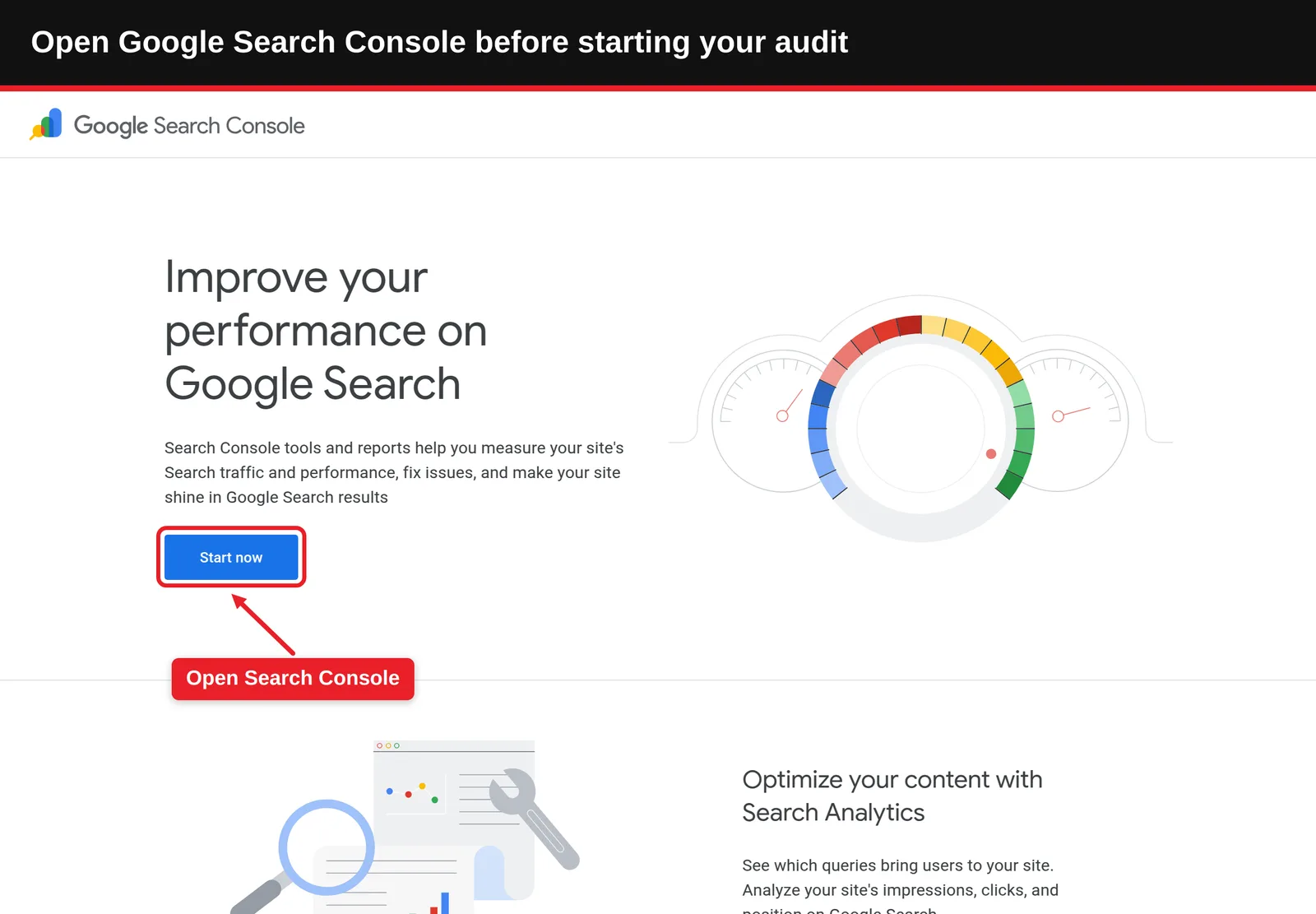
- Verify Google Search Console: It's the only source of Google's own indexing and Core Web Vitals data for your site.
- Get CMS or file access: You'll need to edit robots.txt, redirects and templates.
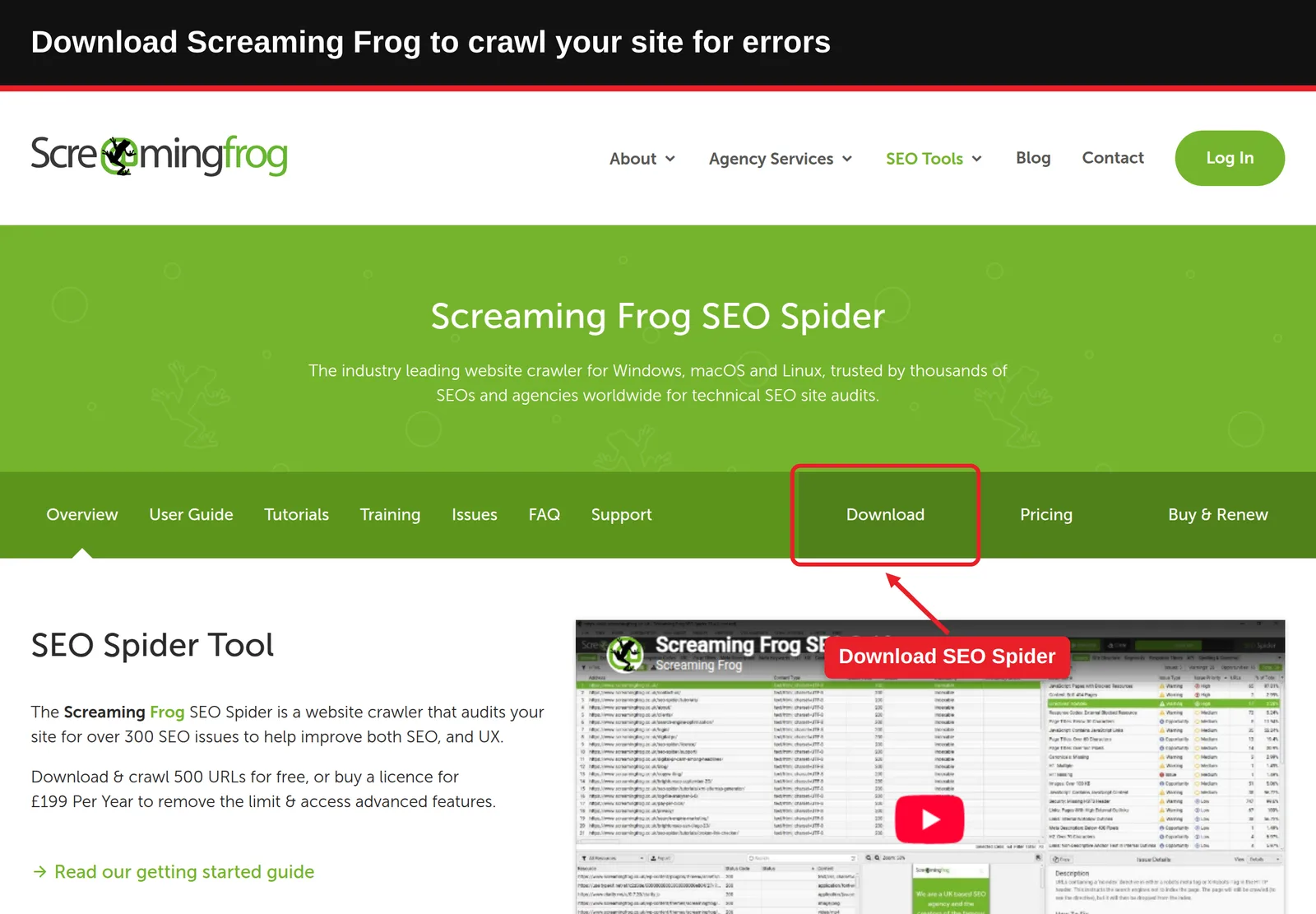
- Pick a crawler for larger sites: Screaming Frog SEO Spider crawls up to 500 URLs free.
- Bookmark free checkers: hyperank's technical SEO tools cover robots.txt, noindex, canonicals, speed, broken links and on-page audits, one URL at a time.
What Done Looks Like
Search Console is verified, you can edit the site, and your tool list is open in a browser.
Step 3: Check Crawlability: robots.txt and Sitemaps
What You're Doing
Everything else depends on search engines reaching your pages, so crawlability comes first. You're confirming crawlers are allowed into the pages that matter and know where to find them.
How to Do It
- Open yourdomain.com/robots.txt and look for broad Disallow rules, especially
Disallow: /left over from a staging site. It happens more often than anyone likes to admit, usually right after a launch. - Run it through our robots.txt checker to test whether key URLs are allowed.
- Remember Google's rule: according to its robots.txt documentation, robots.txt controls crawling, not indexing. To keep a page out of results, use noindex instead.
- Find your XML sitemap, often /sitemap.xml, and check it with our sitemap tools. It should list only canonical, indexable pages that return 200.
- Confirm the sitemap is submitted in Search Console and referenced in robots.txt with a
Sitemap:line.
Common Mistakes
- Blocking CSS and JavaScript: Google needs them to render pages properly.
- Listing redirected or noindexed URLs in the sitemap: It sends mixed signals and wastes crawl attention.
What Done Looks Like
Key pages are allowed in robots.txt, and a clean sitemap is submitted and referenced.
Step 4: Check Indexing: noindex, Canonicals and Index Status
What You're Doing
Crawlable isn't the same as indexed. You're confirming that the pages you want in Google are indexed, and that duplicates point to the right version.
How to Do It
- Open the Page indexing report in Search Console and review reasons such as "Excluded by noindex tag", "Duplicate without user-selected canonical" and "Crawled, currently not indexed".
- Check priority URLs with the URL Inspection tool, or our index checkers for Google and Bing.
- Scan for stray noindex tags with our noindex checker; Google explains the tag in its block indexing guide.
- Check canonical tags with our canonical tag scanner. Each page should point to itself or to the preferred duplicate, as described in Google's guidance on duplicate URLs.
Example
| Finding | What it means | Fix |
|---|---|---|
| Product page has noindex | Google won't show it | Remove the tag if the page should rank |
| Canonical points to homepage | Google may ignore the page | Set a self-referencing canonical |
| HTTP and HTTPS both indexed | Duplicate versions compete | 301 redirect HTTP to HTTPS |
| Crawled, currently not indexed | Google chose not to index it | Improve content quality and internal links |
Our guide on how to check if Google has indexed a page covers these reports in more depth.
What Done Looks Like
Every priority URL is indexed, carries the right canonical, and has no accidental noindex.
Step 5: Check Site Speed and Core Web Vitals
What You're Doing
Once the right pages are indexed, the next question is how well they perform. You're measuring how fast and stable they feel to real users, and finding the biggest causes of slowness.
How to Do It
- Open the Core Web Vitals report in Search Console to see which URL groups fail on mobile and desktop, based on real-user data.
- Test priority pages in PageSpeed Insights or our website speed test.
- Compare results with the targets: LCP 2.5 seconds or less, INP 200 milliseconds or less, CLS 0.1 or less.
- Note the top suggested fixes. Common ones: oversized images, render-blocking scripts, too many third-party tags, and images or ads without set dimensions.
Our PageSpeed Insights guide explains how to read each metric.
What Done Looks Like
You know which templates fail Core Web Vitals and the two or three fixes that would help most.
Step 6: Find Broken Links, 404s and Redirects
What You're Doing
Every site collects broken links over time, especially after content is moved or deleted. You're removing the dead ends that waste crawl activity and frustrate visitors.
How to Do It
- Scan key pages with our broken link checker or 404 page checker, or crawl the whole site with Screaming Frog.
- Fix internal links that point to 404 pages: update them to the right live URL.
- Redirect deleted pages that still get traffic or links with a 301 to the closest relevant page. Google's redirects documentation explains which types to use.
- Collapse redirect chains (A to B to C) into single hops (A to C).
- Check that your 404 page returns a real 404 status, not 200.
What Done Looks Like
Internal links resolve directly to live pages, and removed pages redirect once to a relevant destination.
Step 7: Check On-Page Tags, Open Graph and Schema
What You're Doing
With the plumbing fixed, turn to how each page presents itself. You're making sure it describes itself clearly to search engines, social platforms and AI tools.
How to Do It
- Run priority pages through our on-page SEO audit, which checks title, meta description, headings, alt text, canonical, viewport and HTTPS, ranked by impact.
- Look for missing or duplicate titles and descriptions across templates.
- Check Open Graph tags (og:title, og:description, og:image) with our Open Graph viewer; the Open Graph protocol defines the tags.
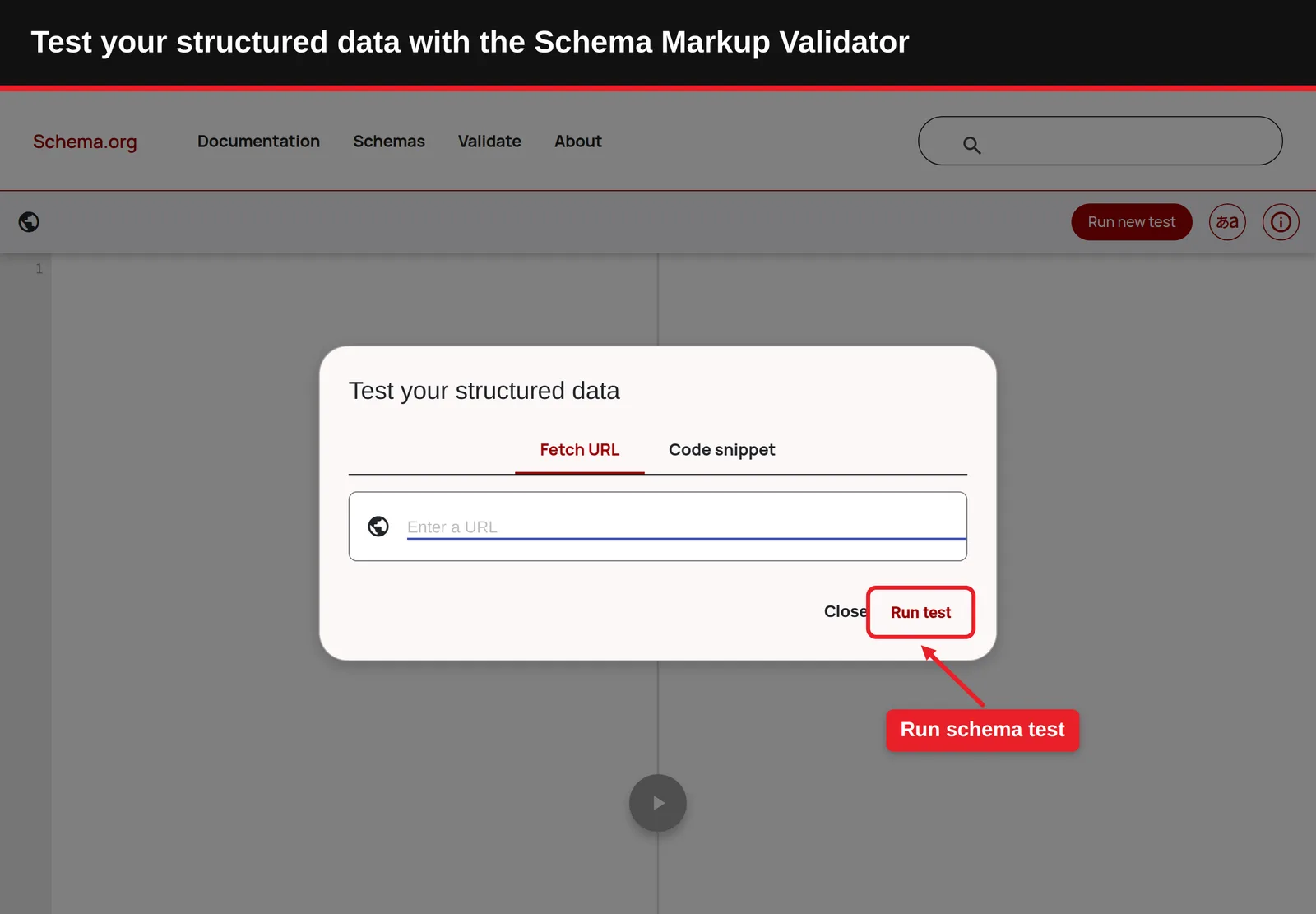
- Validate structured data with Google's Rich Results Test. Our guide to schema markup validators compares options.
Common Mistakes
- Schema that doesn't match the page: Marking up reviews or FAQs that aren't visible can make pages ineligible for rich results.
What Done Looks Like
Every priority page has a unique title and description, working share cards, and valid structured data.
Step 8: Check AI Crawler Access and llms.txt
What You're Doing
This is the newest part of any audit, and the one most older checklists miss. You're confirming that AI search engines can read your site, so your content can appear in their answers.
How to Do It
- Check robots.txt for AI user agents such as OAI-SearchBot and GPTBot (OpenAI), PerplexityBot, ClaudeBot and Google-Extended. Decide deliberately which to allow; blocking search-type crawlers can keep you out of AI answers.
- Check that your CDN or firewall isn't blocking these bots at the server level, which robots.txt won't show.
- Run our free AI SEO audit, which grades 16 signals on a page, from title and canonical to llms.txt and alt text.
- Consider an llms.txt file, a proposed standard described at llmstxt.org. Google has said it doesn't use llms.txt for Search, and support from other engines isn't confirmed, so treat it as low-cost and optional. Our llms.txt generator builds one from your sitemap, and our llms.txt guide explains the trade-offs.
Access is only the first half. To see whether AI engines actually mention you, hyperank asks six major AI engines the questions your buyers ask every day and shows what they say about your brand, what they get wrong and which competitors they recommend. We built it because we believe brands need that visibility now.
What Done Looks Like
The AI crawlers you want are allowed in robots.txt and at the server, and you've made a deliberate call on llms.txt.
Step 9: Report and Prioritise Fixes (Template)
What You're Doing
An audit is only useful if it leads to fixes. You're turning findings into a ranked, assigned plan.
How to Do It
- Log every finding in the template below, one row per issue.
- Score impact (high, medium, low) by how many important pages it affects and whether it blocks indexing.
- Score effort (high, medium, low) with whoever will make the fix.
- Fix high-impact, low-effort issues first; anything blocking indexing comes before everything else.
- Re-check each fix and note the date, so you can compare performance later.
Example
Copy this technical seo audit template into a spreadsheet:
| Area | Issue | Affected URLs | Impact | Effort | Owner | Status |
|---|---|---|---|---|---|---|
| Indexing | noindex on /pricing | 1 | High | Low | Dev | Fixed |
| Crawlability | Sitemap lists 40 redirected URLs | 40 | Medium | Low | SEO | In progress |
| Speed | LCP 4.1s on blog template | 120 | High | Medium | Dev | To do |
| Links | 18 internal links to 404s | 12 | Medium | Low | Content | To do |
| AI access | PerplexityBot blocked by firewall | All | Medium | Low | Dev | To do |
What Done Looks Like
You have a shared sheet with every issue ranked, owned and scheduled, and the blockers already fixed.
What to Do After the Audit
- Phase 1, first two weeks, fix blockers: Remove wrong noindex tags, robots.txt blocks and broken redirects, then request indexing for key pages.
- Phase 2, one to two months, improve performance: Work through speed fixes, schema and tag gaps, and watch Search Console reports for improvement.
- Phase 3, quarterly, re-audit: Repeat the checklist, and after every redesign, migration or major plugin change.
Resources You'll Need
| Resource | Role | Label | Price |
|---|---|---|---|
| Google Search Console | Indexing, Core Web Vitals and URL Inspection | Required | Free |
| hyperank technical SEO tools | Single-URL checks for robots.txt, noindex, canonicals, speed, links and on-page tags | Recommended | Free |
| PageSpeed Insights | Speed and Core Web Vitals testing | Required | Free |
| Screaming Frog SEO Spider | Full-site crawl for larger sites | Optional | Free up to 500 URLs; paid licence |
| hyperank | Tracks what six AI engines say about your brand | Optional | Paid plans |
Troubleshooting Common Issues
Pages are "Discovered, currently not indexed"
Likely cause: Google knows the URL but hasn't crawled it, often because of weak internal linking or low perceived value. Fix: Link to the page from important pages, include it in the sitemap and improve its content.
Speed scores differ between tests
Likely cause: Lab tests vary by run and location; Search Console uses real-user data. Fix: Use Search Console's field data to decide priorities and lab tests to debug.
A fix doesn't show up in Search Console
Likely cause: Reports update with a delay. Fix: Use URL Inspection to request recrawling, and use "Validate fix" on the relevant report.
Traffic dropped after a redesign
Likely cause: Changed URLs without redirects, a staging robots.txt or noindex left in place. Fix: Check robots.txt, noindex and redirects from old URLs first.
Conclusion
A technical SEO audit is a structured check that search engines and AI crawlers can reach, index and understand your site. Work through crawlability, indexing, speed, links, tags and AI access, then fix the issues in order of impact.
Key Takeaways
- Outcome: A nine-step checklist and a template that turns findings into a fix plan.
- Key insight: Indexing blockers like noindex and robots.txt errors outrank everything else.
- Next action: Open Search Console's Page indexing report today and check your top 10 URLs.
FAQ
How do you do a technical SEO audit step by step, and is there a checklist template?
Technical SEO Audit: A Step-by-Step Checklist (+Template) follows six checks. First, crawlability: robots.txt shouldn't block key pages and a clean XML sitemap should be submitted. Second, indexing: priority pages should be indexed with correct canonicals and no stray noindex. Third, speed: Core Web Vitals targets are LCP 2.5 seconds or less, INP 200 milliseconds or less and CLS 0.1 or less. Fourth, broken links and redirect chains. Fifth, titles, meta descriptions, Open Graph tags and valid schema. Sixth, access for AI crawlers such as OAI-SearchBot and PerplexityBot. Log each issue in a template with impact, effort, owner and status, and fix indexing blockers first.
What is a technical SEO audit?
It's a review of the technical factors that let search engines crawl, index and understand a site: robots.txt, sitemaps, indexing signals, speed, links, redirects, tags and structured data.
What are the most common technical SEO issues?
Accidental noindex tags, robots.txt blocks, wrong canonicals, slow pages, broken internal links, redirect chains, and missing or duplicate titles.
How do you fix technical SEO issues?
Rank them by impact and effort, fix anything that blocks indexing first, then speed and link problems, then tags and schema. Re-check each fix in Search Console.
Can ChatGPT do an SEO audit?
Partly. ChatGPT can explain issues, review HTML or a crawl export you paste in, and draft fixes, but it can't reliably crawl your whole site or see Google's indexing data. Use it alongside Search Console and a crawler, not instead of them.
How often should you run a technical SEO audit?
Quarterly for most sites, and always after a redesign, migration, CMS change or sudden traffic drop.
Methodology: This checklist follows Google Search Central documentation on robots.txt, indexing, canonicalization, redirects and AI features, Core Web Vitals thresholds from web.dev, and the llms.txt proposal at llmstxt.org. Tool limits such as Screaming Frog's free tier were checked at the time of writing and may change.
See where your brand stands
How six AI engines describe you, next to your competitors. About two minutes.